Blog
The Obsidian plugin is live - sync your vault to every AI
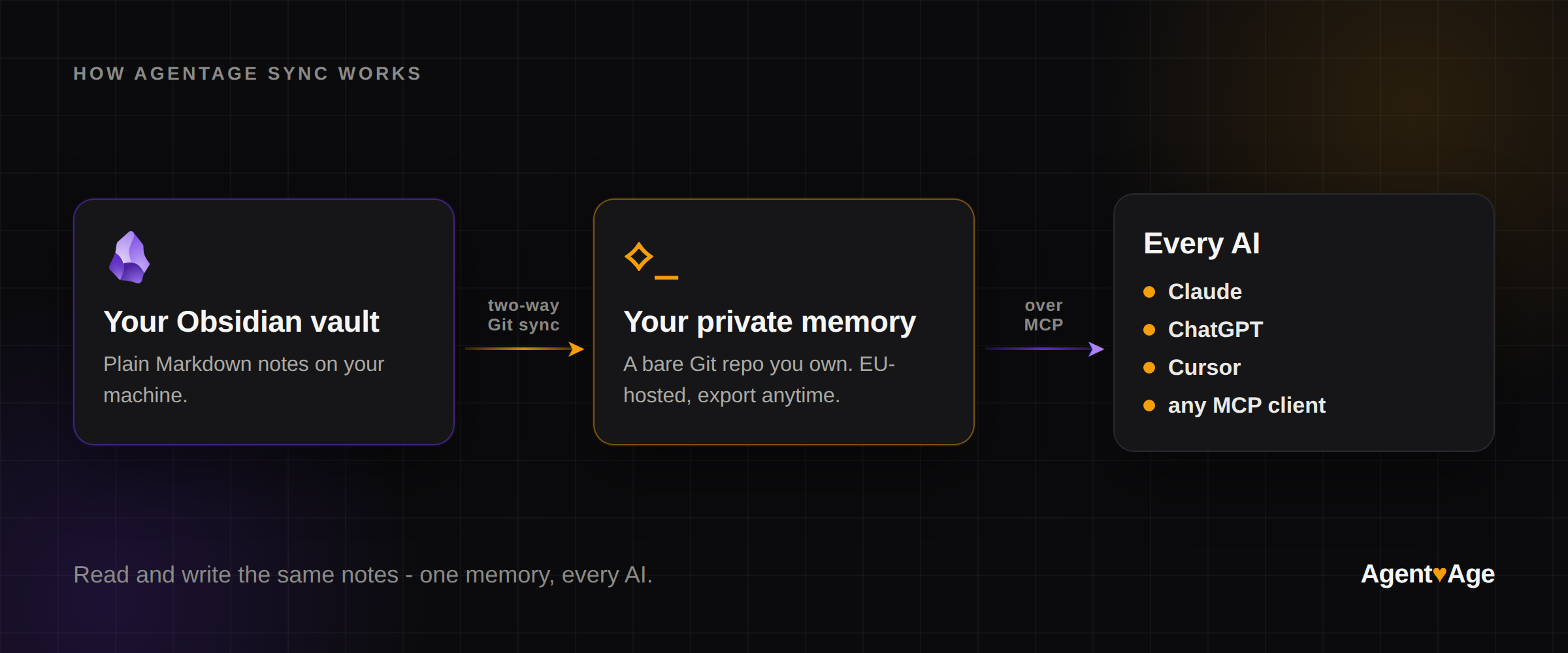
Install Agentage Sync from the Obsidian community store, sign in once, and your vault two-way syncs to a private memory that Claude, ChatGPT, Cursor, and any MCP client read and write - the same Markdown you already own.

Your Obsidian vault is already the best memory you keep. The problem was that the AIs you use could not read it - they opened blank every time while your context sat in files right next to them.
Today that changes. Agentage Sync is live in the Obsidian community store. It is a plugin that keeps your vault in sync with a private memory your AIs can read and write - so Claude, ChatGPT, Cursor, and any MCP client (any tool that speaks MCP, the open standard AIs use to connect to your data) work from the same Markdown you already own.
#Install Agentage Sync in Obsidian
The button opens the plugin pane in your Obsidian desktop app. Desktop only today, mobile is on the way. You sign in once in the browser on first sync (OAuth, no API key), then pick or create a memory.
Prefer to do it by hand? In Obsidian go to Settings > Community plugins > Browse, search Agentage Sync, then Install and Enable.
Want the betas instead? Two more ways in:
- BRAT - install BRAT, then Add beta plugin >
agentage/obsidian-sync. It keeps you auto-updated. - Manual - from the latest release, drop
main.js,manifest.json, andstyles.cssinto your vault's.obsidian/plugins/agentage-memory/folder, then enable it.
#Set up Obsidian sync in four steps
#1. Sign in to Agentage
Open Settings > Agentage Sync > Sign in to Agentage. A browser window opens once to authorize the plugin (OAuth 2.1 with PKCE). There is no API key to copy, and the plugin stores no password - your token lives in Obsidian encrypted secret storage, never in your notes or config.
#2. Choose a memory
Click the status-bar dot (or run Agentage Sync: Choose memory from the command palette), then Choose memory... - pick an existing memory or create a new one. A fresh memory makes the cleanest first sync.
#3. Sync now
From the dot menu or the command palette, run Agentage Sync: Sync now. Your notes are committed and pushed. Sync is on demand today; background auto-sync is next.
#4. Connect your AI
The plugin gets your vault into the memory. The point is that every AI reads it. Point Claude, ChatGPT, Cursor, or any MCP client at the same memory over MCP, then ask it what is in your notes - it answers straight from your files. Sync a note from Obsidian, open a fresh Claude or ChatGPT chat, ask what it knows, and it reads the same memory. See how to connect ->
#FAQ
#Do I need an account?
Yes. You sign in to Agentage once, then pick an existing memory or create a new one. There is no API key to copy or manage.
#Where are my notes stored?
As plain Markdown in your vault, and in a private Git repository - one per memory, hosted in the EU. The repo is the source of truth, readable as ordinary files, and exportable anytime.
#Is the plugin desktop only?
Today, yes. Obsidian will not offer it on phones yet. Mobile is planned - the git engine already runs over Obsidian network layer, so what is left is verifying sign-in and first sync on real devices.
#Does the plugin send telemetry?
No. There is no client-side telemetry, and a fresh or signed-out install makes no network requests at all. The plugin only reaches the network once you sign in or sync.
#Can I leave and take my notes?
Yes. Your memory is a plain Git repo you can clone or export anytime, and your notes stay as Markdown on disk. Ownership is a property of the format, not a promise on a pricing page.
#Sync your Obsidian vault to every AI today
Install Agentage Sync, sign in once, and run a first sync. The next AI you open reads your vault - because it is yours, not any one vendor's.
One memory. Every AI. Owned by you.