Blog
The MCP endpoint is live - connect your AI today
Point Claude, Claude Code, VS Code, or ChatGPT at one URL, sign in once, and they all read and write the same memory - owned by you, EU-resident, live in production today.
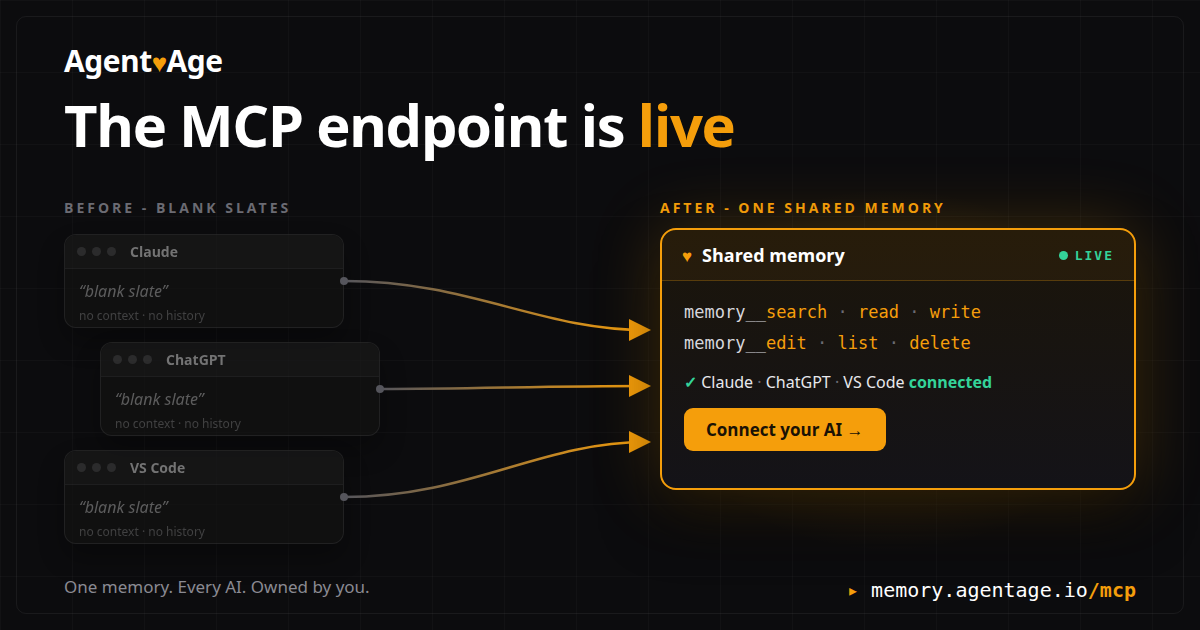
A week ago we opened the waitlist. Today the MCP endpoint is live in production.
The Agentage Memory MCP endpoint is up at https://memory.agentage.io/mcp - live in production today. Point an MCP client at it, sign in once in the browser, and that client is reading and writing your memory - the same memory every other client you connect will see. Connect once, and your tools stop opening with a blank slate.
#Connect it
Pick your client. They all end at the same URL.
Claude Code - one line in the terminal:
claude mcp add --transport http memory https://memory.agentage.io/mcpThen run /mcp and complete the sign-in.
Claude (claude.ai and Desktop) - open Settings > Connectors > Add custom connector, paste the endpoint, sign in when prompted.
VS Code - add this to .vscode/mcp.json (or use the MCP: Add Server command):
{
  "servers": {
    "agentage-memory": { "type": "http", "url": "https://memory.agentage.io/mcp" }
  }
}
The browser opens for sign-in on first use.
ChatGPT - open Settings > Connectors > Add custom connector on paid plans (enable Developer mode under Advanced if you do not see it), paste the endpoint, sign in.
Anything else that speaks MCP over Streamable HTTP can point at the same URL. If your tool can speak MCP, it can speak to your memory. There is nothing of ours to install. Full per-client steps are on the docs page.
#What happens on first use
The first call opens your browser. Sign in with a magic link - under the hood that is OAuth 2.1 with PKCE and dynamic client registration - meaning no API key to copy, nothing to paste into a config, and a token scoped to your memory only.
Discovery metadata is published at the usual well-known endpoints, so a client we have never heard of can find the authorization server and wire itself up without asking us.
Your memory is bound to your account - one memory per user, zero IDs to manage.
#The six tools
Once connected, your AI has six tools:
- memory__search - find notes by keyword across the whole memory.
- memory__read - read a note by path.
- memory__write - create or replace a note.
- memory__edit - apply a targeted edit to a note.
- memory__list - list notes, optionally under a folder.
- memory__delete - remove a note.
One honest detail: search is literal keyword matching, not semantic - it finds the words you actually stored, fast and predictable.
The notes themselves are plain markdown with YAML frontmatter, EU-resident by architecture. Ownership is not a roadmap item: you can export the whole memory today. Zero lock-in is a property of the format, not a line on a pricing page.
The alternative - a database you cannot see, in a format you cannot take - is exactly what we are not building. If we disappeared tomorrow, your memory would not.
#Connect today
If you run more than one AI and you are tired of being the memory between them, you do not have to wait anymore. Point one client at https://memory.agentage.io/mcp, sign in, and write your first note. It takes about two minutes, and the next tool you connect will already know it.
One memory. Every AI. Owned by you.